Whether you are an amateur photographer or a video professional, you have surely been captivated by a timelapse video. This fascinating process can condense hours, days, or even months of evolution into just a few seconds. But how exactly does it work? In this comprehensive guide, we will explore the timelapse definition in detail, the technical workings of this shooting technique, and how to create a stunning high-speed render yourself.
💡
Key Takeaways about Timelapse
Timelapse definition: Also known as a fast-forward effect, it is a technique that involves capturing time lapse photos at regular intervals to assemble them into a smooth video. Time seems to fly by.
The technical principle: It relies on the gap between a slow capture rate (e.g., 1 photo every 10 mins) and a fast playback speed (often 25 or 30 frames per second).
What is it used for? It is the perfect tool for visualizing slow evolutions: monitoring a construction site over several months, blooming flowers, weather changes, or urban crowds.
The right equipment: The "time-lapse video" mode on a smartphone is enough to get started for short durations. For professionals and long-term projects, using dedicated, 100% autonomous timelapse cameras (like the Enlaps Tikee range with integrated solar panels and cloud storage) is the absolute standard.
What is a timelapse?
Understanding the basic concept is essential to mastering this photographic and videographic technique. The time lapse definition (or time lapse def for short) is relatively simple: it is a fast-forward effect achieved by capturing images at a much slower rate than they will be played back.
Timelapse, time lapse, or time-lapse: what is the difference?
You might be wondering what the correct spelling is. In reality, timelapse, time lapse, and time-lapse mean exactly the same thing. Whether you are looking for a "time lapse definition" or a "timelapse definition," the principle remains identical. Even in French, the English term is often used as is.
What is the difference between a standard video and a timelapse video?
A standard video typically captures between 24 and 60 frames per second continuously to create the illusion of smooth movement in real time. Conversely, a time lapse video is created by spacing out the shots. For example, instead of taking 24 frames per second, you might take one time lapse photo every minute. When you play these images back at 24 frames per second, time appears to pass 1,440 times faster!
How does a timelapse video work?
The magic of a time lapse video lies in the manipulation of time and human perception. Here are the mechanics behind this technique.
The principle of images captured at regular intervals
The operation relies on capturing a series of photographs at predefined and regular time intervals. This interval is chosen based on the speed of the action you want to film. For fast-moving clouds, a 2-second interval is sufficient. For constructing a building, you would instead opt for one photo every 10 minutes or every hour.
The difference between capture interval and playback speed
The secret of time-lapse lies in the disconnect between capture and playback. The capture interval corresponds to the time spent between each photo (e.g., 1 photo every 5 seconds). The playback speed corresponds to the video standard (generally 25 or 30 frames per second). It is the sequence of these slowly captured images in a fast playback format that creates the spectacular effect of the video time lapse.
What is time-lapse mode?
Today, you no longer need to be an expert with complex software to try it out, thanks to built-in technologies.
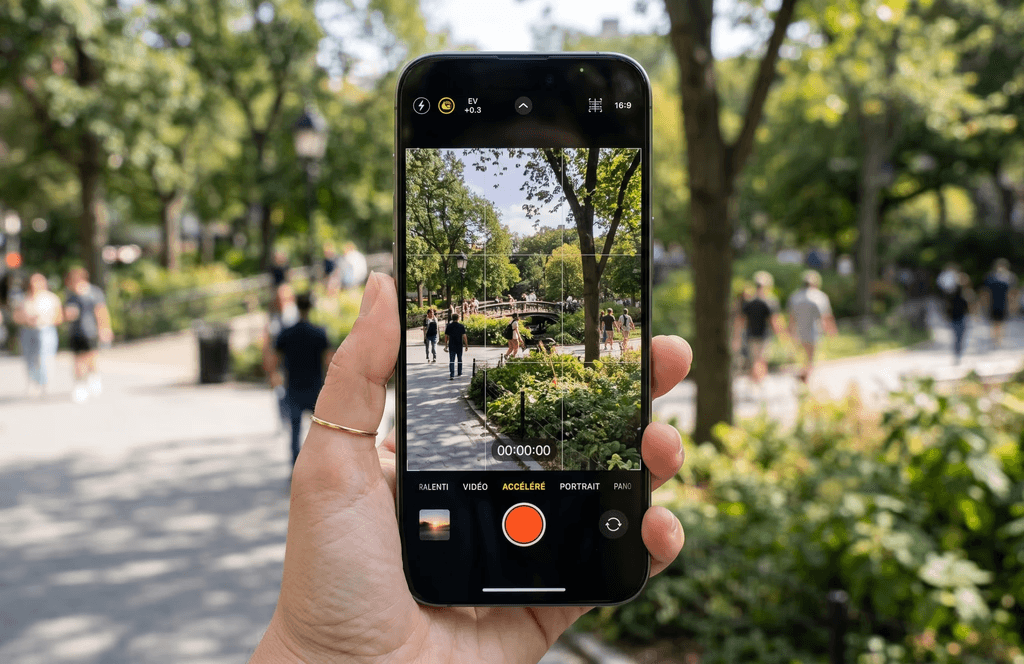
What is the time-lapse mode on a smartphone or camera used for?
The time-lapse mode found on almost all modern smartphones and cameras automates the entire process. You just need to frame your shot, start recording, and the device takes care of shooting photos at regular intervals, then automatically stitching them together to deliver a video ready to be shared.
What is the difference between photo timelapse and timelapse video?
Several approaches can be distinguished. The photo timelapse is the professional method: a camera captures hundreds of high-quality photos, which will require post-processing and software assembly. Conversely, the timelapse video mode (on a smartphone or action camera) automatically stitches the images together to generate a ready-to-use video file (mp4). Finally, it is possible to shoot a standard continuous video and then speed it up during editing, although this technique is limited by storage space and battery life for long durations.
How to make a timelapse?
Creating a successful fast-forward effect requires a bit of preparation and methodology.
Choosing a suitable subject for time-lapse
Not all subjects are suitable. The best results are achieved with elements that evolve slowly but noticeably: a sunset, a blooming flower, the movement of the stars, or the bustling activity of a city intersection.
Setting the interval, duration, and framing
Framing: The camera must be absolutely still. The slightest movement will ruin the effect.
Interval: The slower the action, the longer the interval should be.
Duration: Calculate in advance. To get 10 seconds of video at 25 frames per second, you will need 250 photos.
Assembling images to create a fast-forward video
If you do not use automatic mode, you will need to import your image sequence into video editing software (like Premiere Pro, Final Cut, or dedicated software like LRTimelapse). You can then correct the lighting, crop, and smooth out light variations ("flicker") before exporting the timelapse video.
What equipment should you use to make a timelapse?
The choice of equipment will largely depend on your budget and ambitions.
Smartphone, camera, or timelapse camera
A simple smartphone can be enough to get started over very short periods. Photography enthusiasts will often opt for a DSLR or mirrorless camera, although this requires a complex setup.
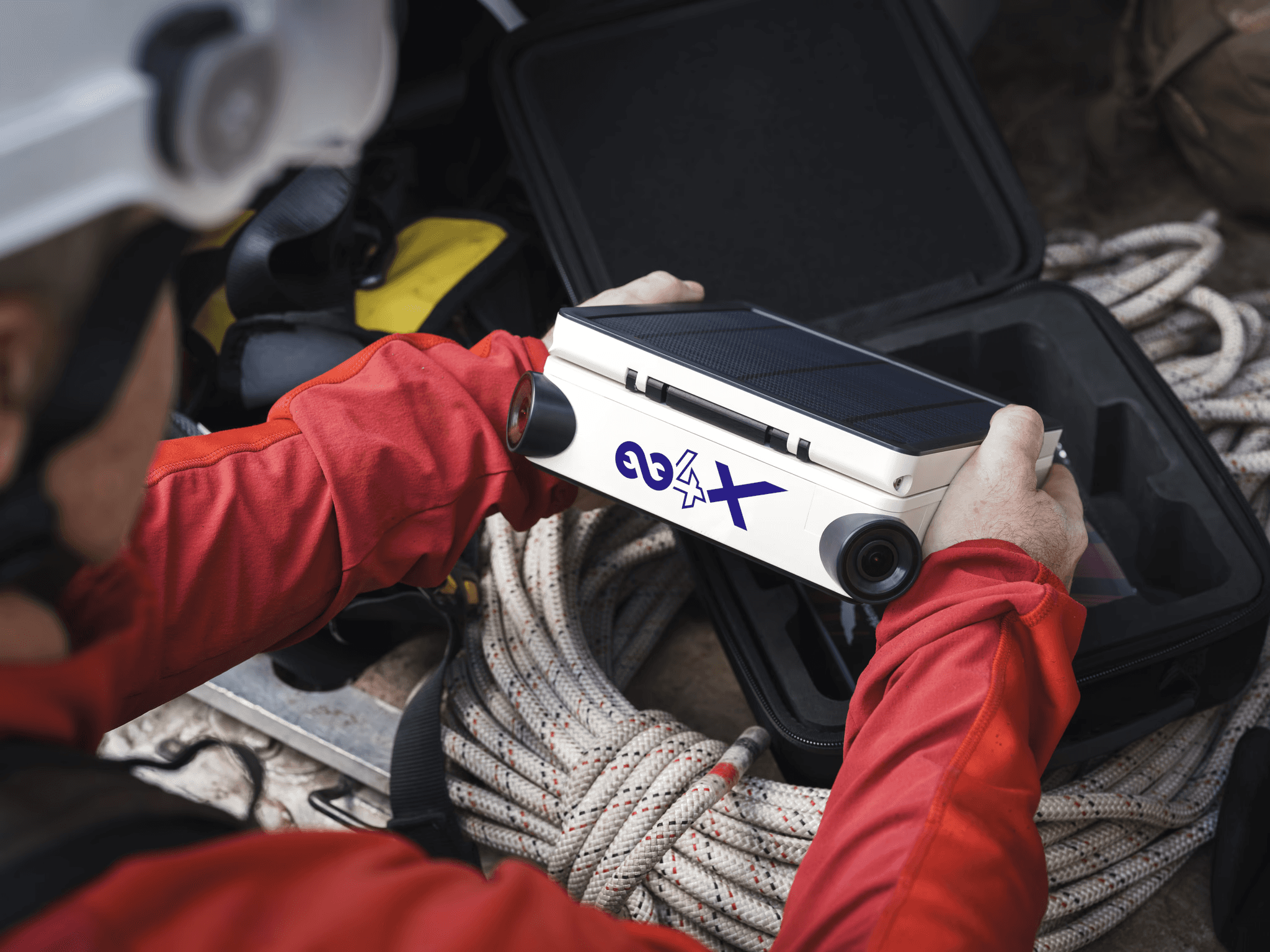
The benchmark professional solution: dedicated timelapse cameras. For medium or long-term projects (construction monitoring, events, nature evolution), the Tikee cameras developed by Enlaps stand out as the most advanced solution on the market. Specifically designed to excel in this task, Enlaps devices offer high-definition panoramic image quality (up to 6K), total weather resistance (IP66 rating), and an ease of deployment that far surpasses traditional photographic setups.
Tripod, intervalometer, battery life, and storage
If you use a traditional camera, logistics can quickly become a headache: a sturdy tripod is mandatory, an external intervalometer is often required, and strict management of batteries and memory cards is crucial so you don't lose your thousands of time lapse photos.
The technological advantage of the Enlaps ecosystem:
It is on these critical points that Enlaps solutions revolutionize the creation of timelapse video:
Unlimited battery life: Thanks to their integrated high-performance solar panels and optimized batteries, Tikee cameras can shoot outdoors for months, or even years, completely autonomously.
Smart and Cloud storage: No more stressing about full SD cards. Enlaps devices send captured images directly to a secure cloud space (via 4G/LTE or Wi-Fi).
Remote control: From the dedicated software platform (myTikee), you can monitor your framing, adjust your interval settings, and let artificial intelligence automatically assemble your accelerated video, all without ever having to travel to the site.
ENLAPS SHOP
Starter Packs
Everything you need to get started and set up your Tikee camera.


Made in France · Express Shipping · Trade-In Offer
What is a timelapse used for?
This technique goes beyond pure aesthetics and has many applications.
Landscape, weather, city, or travel timelapse
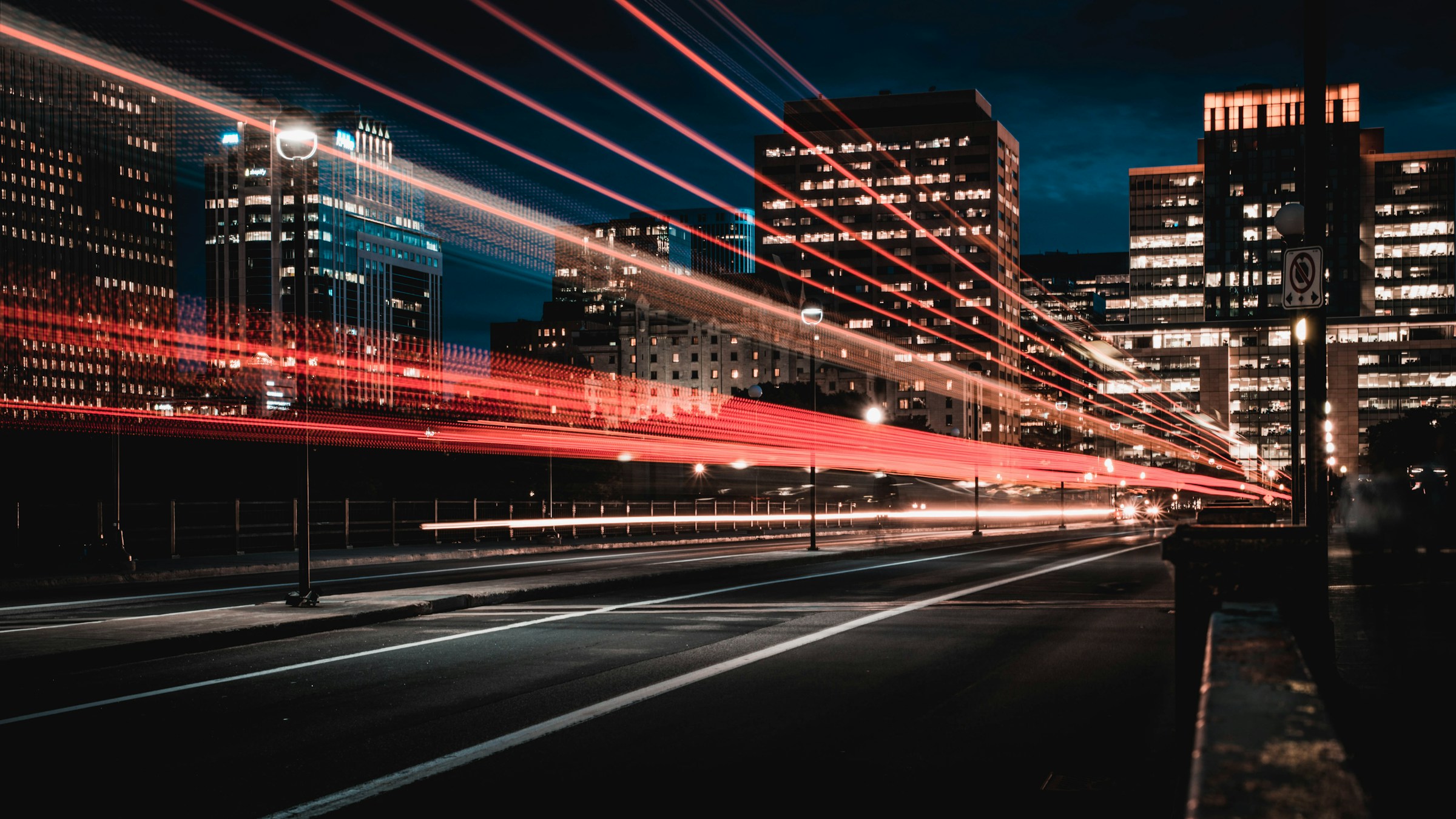
Content creators use it to energize a travel video, show the bustle of a metropolis (nighttime car light trails), or capture the majesty of a meteorological phenomenon (storm formation).
Construction timelapse and project monitoring
In the professional world, the timelapse video is a formidable tool. It allows for construction site monitoring over several months or years. It is an excellent communication tool for construction companies to condense a massive build into a two-minute clip.
Time-lapse in cinema, documentaries, and communication
On television and in cinema, this technique is often used as a cutaway or temporal transition to indicate that a day or a night has passed within the plot.
Examples of timelapse videos
To fully understand the scope of this technique, here are the most popular uses.
Landscapes, sky, traffic, and natural phenomena
Type "time lapse video" on YouTube and you will find countless videos showing the Milky Way rotating in the night sky, tides rapidly rising and falling, or the non-stop ballet of pedestrians in Tokyo.
Construction sites, events, and long-term projects
Videos of assembling cruise ships, setting up music festival stages in a few hours, or 3D printing a complex part are excellent examples of the documentary utility of time-lapse.
DEMONSTRATION
Discover the Tikee solution
A 30-minute video call with an Enlaps expert: camera placement, platform setup, and budgeting based on the duration of your project.
No obligation · Time slots available quickly
Timelapse FAQ
Frequently Asked Questions
What is time-lapse mode?
This is a feature built into many cameras and smartphones that automatically takes photos at defined intervals and stitches them together to provide you with a ready-to-use accelerated video.
How long do you need to film to make a timelapse?
This depends on the interval and the final video desired. The magic formula is: Number of frames needed (e.g., 250 for 10s of video at 25fps) x Interval in seconds. For example, with one photo every 4 seconds, you will need to shoot for 1,000 seconds (or about 16 minutes) to get 10 seconds of finished video.