Artificial intelligence is becoming a practical tool for construction companies, not a distant technology trend. It helps teams estimate costs, plan schedules, review documents, monitor jobsites, manage risk, and make better decisions from project data.
The value of AI in construction is strongest when it solves specific problems: missed details in drawings, slow reporting, safety blind spots, cost overruns, fragmented communication, and equipment downtime. Used well, AI does not replace construction expertise. It gives contractors, project managers, engineers, and owners better visibility before small issues become expensive problems.
💡
Key Takeaways - AI in Construction
A Full-Lifecycle Tool: AI is no longer a futuristic concept—it is a practical baseline across every phase of a project, from preconstruction estimating and automated takeoffs to active jobsite safety and post-handover predictive maintenance.
Connecting Disconnected Data: AI’s true value lies in its ability to scan fragmented data silos (schedules, field photos, and accounting records) to flag early warning signs of cost overruns or schedule drift before they compromise the project.
Compressing the Admin Burden: By automating high-volume, document-heavy tasks—like drafting RFIs, summarizing lengthy specifications, and generating meeting records—AI frees project engineers and managers to focus on strategic field decisions.
Catching Errors Early: Combining AI with drones, cameras, and BIM allows teams to continuously verify field progress against design models, dramatically reducing rework by spotting installation defects in real time.
Human Accountability Remains Central: Because AI models can occasionally misinterpret data or generate errors ("hallucinations"), expert human review is mandatory. AI supports the decision-making process, but humans own the legal, financial, and safety consequences.
Adopt by Workflow, Not Hype: The most successful contractors avoid sweeping, top-down transformations. Instead, they start small by targeting specific, highly repetitive bottlenecks (like document search or bid package reviews) to achieve immediate, measurable ROI.
What is AI in construction?
AI in construction refers to the use of artificial intelligence technologies to automate tasks, analyze project data, identify patterns, and support decision-making across the construction lifecycle. It can be used in preconstruction, project management, jobsite and construction site monitoring, safety, quality control, reporting, and building maintenance.
Several technologies sit under the broader idea of artificial intelligence in construction. Machine learning can analyze past project data to forecast costs, delays, or risks. Computer vision can review images and videos from construction sites to track progress or detect safety issues. Generative AI can help summarize specifications, RFIs, submittals, meeting notes, and project reports. BIM and digital twins can connect design, schedule, cost, and operational data in a more structured environment.
The goal is not to turn construction into a fully automated industry. Construction is still physical, local, and deeply dependent on human judgment. AI is most useful when it handles repetitive analysis, speeds up information retrieval, and helps teams focus on decisions that require experience.
Why AI matters in the construction industry
Construction companies work under constant pressure. Projects must stay on schedule, budgets are tight, skilled labor is difficult to secure, and owners expect more transparency. At the same time, project teams manage large volumes of information across plans, contracts, schedules, RFIs, submittals, photos, cost reports, inspection notes, and daily logs.
That information is valuable, but it is often fragmented across different systems. A schedule may live in one platform, field photos in another, RFIs in a project management tool, and cost data in accounting software. When data is scattered, teams spend time searching instead of deciding.
AI helps construction companies connect these signals. It can flag a possible delay, identify missing documentation, summarize project updates, compare progress against plans, or surface risk patterns across multiple jobsites. This matters because construction problems rarely appear all at once. They usually build through small warning signs: late approvals, unclear scope, repeated safety observations, procurement delays, or labor productivity changes.
The strongest use of AI for construction is therefore not replacing people. It is helping people see earlier, act faster, and reduce avoidable uncertainty.
Key benefits of AI in construction
AI can create value across the construction industry when it is tied to clear operational outcomes. The most important benefits are safety, planning, cost control, productivity, quality, and maintenance.
Improved safety on construction sites
Safety is one of the clearest use cases for AI in construction. Computer vision, sensors, and connected devices can help teams identify risk patterns on jobsites. AI-powered systems can review images or video to detect missing personal protective equipment, unsafe zones, equipment proximity risks, poor housekeeping, or repeated hazardous behaviors.
This does not replace safety managers or field supervision. It gives them another source of visibility, especially across large or multi-site projects. A superintendent cannot watch every area of a jobsite at once, but AI can help prioritize where attention is needed.
The best safety applications are preventive. They help teams identify recurring risks before an incident happens. For example, if visual data shows repeated access issues in the same zone, a site manager can adjust signage, barriers, or workflows before the risk escalates.
AI also helps standardize safety observations. Instead of relying only on manual reports, construction companies can use AI to spot patterns across projects and improve training, site planning, and safety procedures.
Better planning, scheduling, and cost control
Construction schedules are sensitive to small changes. Weather, labor availability, delayed materials, design revisions, inspections, and subcontractor coordination can all affect the critical path. AI can help teams analyze these variables and identify activities that may create delays.
In construction project management, AI can compare planned schedules with field updates, procurement data, and historical project performance. This gives project managers a clearer view of risk. It also helps teams test different scenarios before making decisions about crews, equipment, or sequencing.
AI in construction estimating can also improve cost control. Estimating tools can support quantity takeoffs, compare new bids with previous projects, and flag scope items that need review. This is useful because estimating errors can damage margins before work even begins.
Cost control does not end at the bid stage. AI can analyze cost codes, change orders, labor hours, procurement updates, and project progress to detect budget drift. The value is not a perfect prediction. The value is earlier warning, so teams can act before small deviations become costly.
Higher productivity for contractors and project teams
Construction teams lose time on manual work that is necessary but repetitive. Project engineers prepare reports, estimators review documents, superintendents collect field updates, and project managers search through emails, drawings, and logs to understand what changed.
AI can reduce that administrative load. It can summarize meeting notes, search specifications, draft routine updates, organize field photos, extract key information from PDFs, and help teams prepare reports faster. These tasks may seem small, but they add up across a project.
For contractors, productivity gains often start with everyday workflows. A team that can find the right spec faster, identify an exclusion in a subcontractor proposal, or generate a first draft of a project update saves time without changing how the entire business operates.
AI also supports productivity in the field. Jobsite monitoring tools can help teams understand progress without waiting for manual status updates. Equipment data can help reduce downtime. Scheduling insights can help avoid crew congestion or inefficient resource allocation.
The best productivity gains come when AI removes friction from existing workflows, rather than forcing teams into complex new processes.
Better quality control and predictive maintenance
Quality control depends on consistency. AI can help teams compare drawings, BIM models, site photos, scans, and inspection data to identify possible defects, inconsistencies, or deviations from the plan.
This can reduce rework. A design conflict or installation issue found early is usually cheaper to resolve than the same issue discovered after other trades have built around it. AI-enhanced quality control is especially useful on complex projects with repeated units, dense coordination, or strict compliance requirements.
Predictive maintenance is another strong AI application in construction. Equipment, building systems, and connected assets can generate data on usage, performance, vibration, temperature, pressure, or service history. AI can analyze those signals to estimate when maintenance may be needed.
For contractors, predictive maintenance can reduce downtime for cranes, vehicles, generators, and heavy equipment. For owners and facility teams, it can support HVAC, elevators, lighting, and other building systems after handover.
In both cases, the benefit is practical: fewer surprises, better planning, and longer asset life.
DEMONSTRATION - 30 MINUTES
See the Tikee Solution in action at a construction site like yours
An expert shares their screen with a real-world project connected to the myTikee platform.
Connecting cameras
Managing different camera angles
AI Dashboard
People-blurring feature
No obligation · Time slots available quickly
AI use cases in the construction industry
AI use cases in construction are easiest to understand by project phase. The technology can support decisions before construction starts, during active work, and after the building or asset is delivered.
Preconstruction: estimating, bidding, and design review
Preconstruction is one of the strongest areas for AI adoption because decisions made early shape project cost, scope, and risk. AI can support estimating, quantity takeoffs, bid review, feasibility analysis, design coordination, and document search.
AI estimating tools can read drawings, detect objects, measure quantities, and compare project assumptions with historical data. They can help contractors move faster during bidding while reducing the risk of missed scope. Estimators still need to validate assumptions, but AI can handle part of the repetitive review work.
AI can also support design review. It can help identify coordination issues, missing information, or discrepancies between plans and specifications. When connected with BIM, AI can assist with clash detection, constructability review, and scenario analysis.
Another practical use case is searching project documents. Contractors often need answers buried inside long specifications, addenda, codes, or subcontractor proposals. AI-powered document search can help teams find relevant clauses, requirements, exclusions, warranties, or submittal items faster.
Preconstruction AI is valuable because it helps teams reduce uncertainty before work begins. Better inputs lead to stronger bids, cleaner scopes, and fewer downstream surprises.
Construction phase: scheduling, safety, RFIs, and site monitoring
During the construction phase, AI helps teams monitor progress, manage risk, and reduce manual coordination work. The most common applications include scheduling, jobsite safety, field reporting, RFIs, submittals, change orders, and site documentation.
AI can analyze field updates, photos, drone footage, schedules, and procurement information to identify delays or blockers. A project manager can use these insights to understand whether an activity is at risk, whether a delivery delay may affect sequencing, or whether a trade needs support.
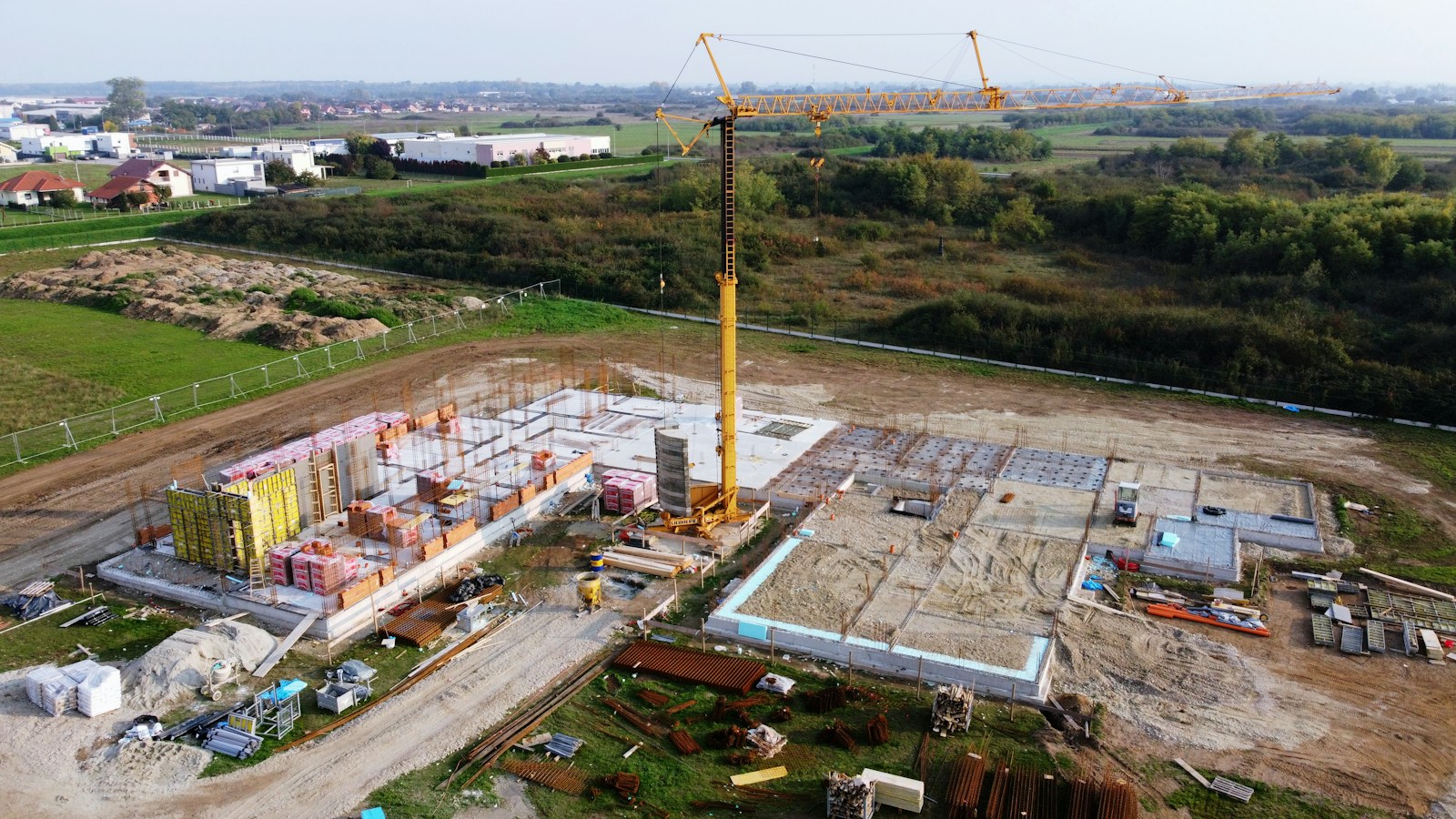
Computer vision and drones can also help with site monitoring. They can capture visual progress, compare conditions against plans, and document work at regular intervals. This is useful for large sites where manual inspection alone cannot provide complete visibility.
Generative AI can support the paperwork side of construction. It can summarize RFIs, draft meeting notes, prepare project updates, extract action items, and help teams navigate specifications. These outputs still need human review, especially when they affect contracts, scope, cost, or safety.
AI is most effective during construction when it helps teams answer practical questions: What changed? What is blocked? What needs attention today? What risk is growing?
Postconstruction: maintenance, energy performance, and asset management
AI continues to create value after construction is complete. In postconstruction and facility management, AI can help owners and operators monitor building systems, plan maintenance, optimize energy use, and learn from completed projects.
Predictive maintenance is a key use case. AI can analyze data from equipment and building systems to detect signs of wear, performance changes, or abnormal behavior. This helps facility teams schedule maintenance before failures disrupt operations.
AI can also support energy performance. Buildings generate data from HVAC systems, lighting, occupancy, sensors, and environmental controls. AI can use that data to recommend adjustments that improve comfort, reduce energy waste, and support sustainability goals.
For construction companies, postconstruction data also improves future projects. Lessons from closeout documents, maintenance issues, energy performance, warranty claims, and project postmortems can feed better planning, estimating, and design decisions.
This creates a more complete project lifecycle. AI does not stop at delivery. It helps connect what was designed, what was built, how it performs, and how future projects can improve.
Examples of AI in construction
AI in construction is most useful when it is tied to a precise workflow. The examples below show where construction companies can use AI without turning it into a vague innovation project.
AI estimating and automated takeoffs
AI estimating tools can help contractors review plans, detect objects, calculate quantities, and prepare takeoffs faster. This is useful in preconstruction, where teams often work under tight bid deadlines and need to evaluate multiple drawings, scopes, and subcontractor proposals.
Automated takeoffs can reduce manual measurement work, but they still need review by experienced estimators. Local market conditions, labor constraints, material availability, and project complexity are not always visible in a drawing. AI can speed up the first pass, while estimators validate the assumptions that affect price and risk.
This use case is especially valuable for contractors that bid frequently or manage complex scopes. It helps teams spend less time counting and more time analyzing the quality of the bid.
Computer vision and drones for jobsite monitoring
Computer vision allows AI systems to interpret photos, videos, and drone imagery from construction sites. Teams can use it to track progress, document work, identify safety risks, and compare site conditions with plans.
Drones make this data easier to collect on large or complex sites. They can capture regular visual records of work progress, logistics, earthwork, and hard-to-reach areas. When combined with AI, drone data can help owners and contractors understand what has been completed, what is delayed, and where field conditions differ from expectations.
This does not remove the need for field supervision. It gives project leaders a clearer view of the site, especially when they manage several projects or cannot inspect every area in person.
Generative AI for specs, RFIs, submittals, and reports
Generative AI is one of the most accessible forms of AI for construction teams because it improves document-heavy workflows. Project teams can use it to summarize specifications, search contracts, draft meeting notes, extract action items, prepare first drafts of RFIs, and organize submittal information.
This is useful because construction managers spend a large part of their day navigating documents. Specifications, drawings, addenda, proposals, exclusions, warranties, and change orders all contain information that can affect cost, schedule, and scope.
AI can help teams find the right information faster, but it must not be treated as a final authority. Contract language, code requirements, safety instructions, and technical details require expert review. The best approach is to use generative AI as a drafting and search assistant, not as an unsupervised decision-maker.
BIM and digital twins enhanced by AI
BIM already helps teams coordinate design, structure, systems, schedules, and cost information. AI can make BIM more useful by identifying clashes, testing design options, analyzing constructability, and connecting model data with project controls.
Digital twins extend this logic after handover. They connect a digital representation of a building or asset with operational data from sensors, systems, maintenance records, and performance monitoring. AI can then help facility teams detect issues, improve energy use, and plan maintenance.
This is most relevant for complex projects where coordination errors are expensive. AI-enhanced BIM and digital twins are not only design tools. They can connect planning, construction, and operations in one more reliable information loop.
AI in construction management
AI in construction management helps project teams move from reactive reporting to earlier risk detection. It can support scheduling, budgeting, document control, field coordination, safety tracking, and executive reporting.
The most valuable applications are usually practical. AI can identify RFIs that may block upcoming work, summarize daily reports, flag delayed activities, detect cost drift, or surface missing documentation. It can also help project managers prioritize issues instead of treating every update with the same urgency.
For owners and general contractors, AI can improve visibility across several projects. Instead of waiting for manual reporting cycles, leadership teams can use project data to see which jobs need attention and why.
For field teams, the value is different. AI should reduce admin work, not add more software friction. A superintendent or project engineer benefits when AI helps capture notes faster, locate the right document, or prepare a status update without manual copy-paste work.
AI in construction management works best when it supports human judgment. Construction projects involve negotiation, sequencing, trade coordination, client communication, and field experience. AI can detect patterns and summarize information, but people still decide what action makes sense.
ENLAPS SHOP
Total Monitoring Packs
Revolutionize visual project monitoring.
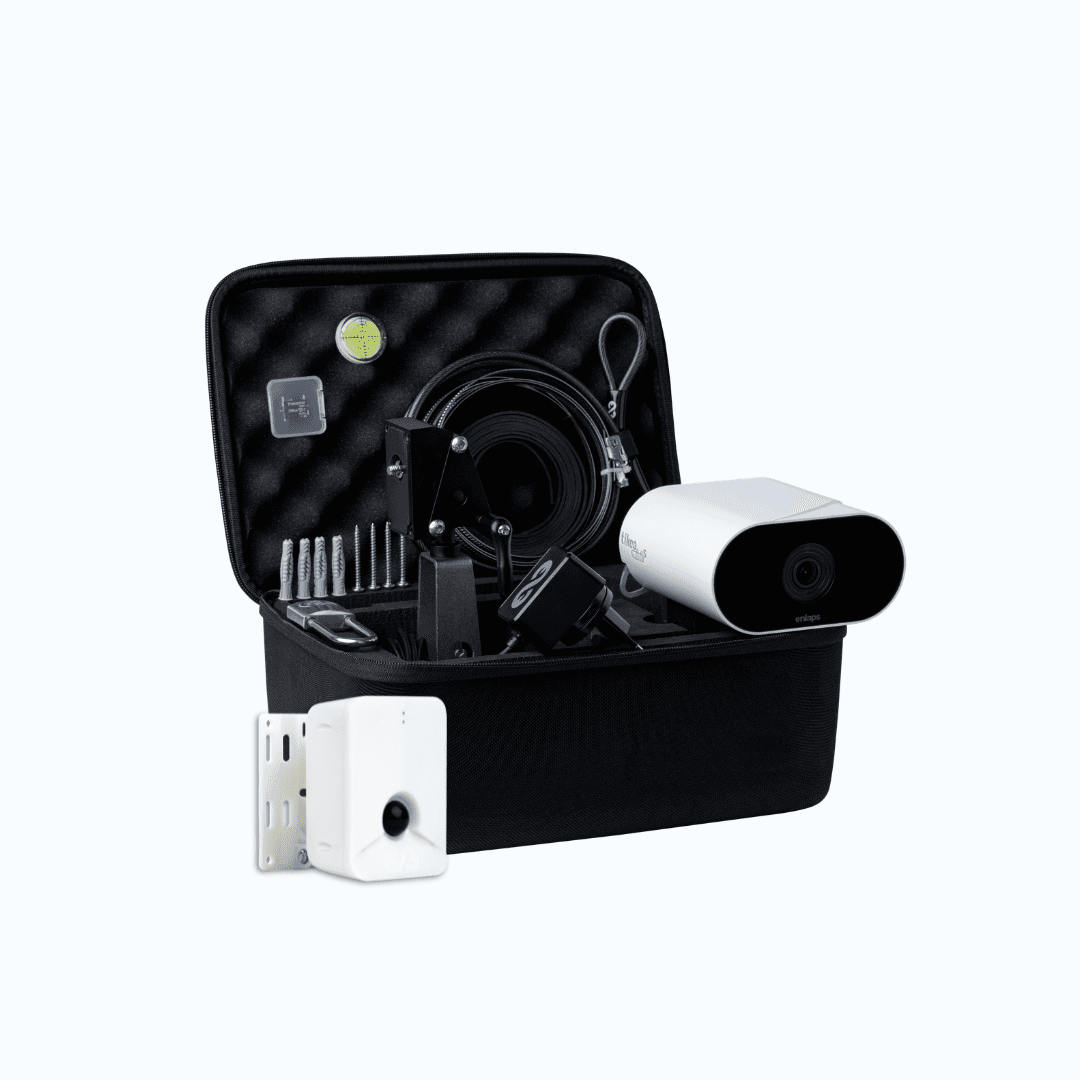
Total Monitoring Pack - Tikee mini S
1.548€ excl. tax

Total Monitoring Pack - Tikee 4X
2.547€ excl. tax
Made in France · Express Shipping · Trade-In Offer
AI tools for construction companies
Construction companies should choose AI tools based on workflow fit, not hype. The right tool should solve a visible problem, integrate with existing systems, and produce outputs that teams can verify.
Construction management AI tools
Construction management AI tools help teams organize schedules, RFIs, submittals, budgets, field notes, photos, meeting minutes, and project risks. Their main value is clarity. They help teams understand what changed, what is late, and which decisions need attention.
A useful construction management AI tool should connect with the platforms already used by the business. If it creates another isolated data source, it may increase complexity instead of reducing it.
Estimating and takeoff tools
Estimating and takeoff tools help contractors review drawings, extract quantities, compare assumptions, and prepare bids faster. They are especially useful for preconstruction teams managing high bid volume or repetitive measurement work.
The best tools improve consistency without removing estimator judgment. They should make it easier to review scope, pricing assumptions, and risk, not hide them behind a black box.
Jobsite monitoring, BIM, and planning tools
Jobsite monitoring tools use cameras, drones, sensors, and mobile data to improve field visibility. BIM and planning tools use model and schedule data to support design coordination, clash detection, sequencing, and progress tracking.
These tools are most effective when they connect visual site data with project controls. A photo record becomes more useful when it helps answer a project question: Is the work on track? Does it match the plan? Is there a safety or quality issue?
How to use AI as a contractor
Contractors should start with a specific problem, not a broad AI strategy. The best first use case is usually a workflow that is frequent, time-consuming, and easy to measure.
Good starting points include document search, AI-assisted takeoffs, bid review, field reporting, meeting summaries, submittal tracking, safety observations, or schedule risk detection. These workflows have clear value because they save time, reduce missed information, or improve project visibility.
Before choosing a tool, contractors should check four things:
the quality and accessibility of their project data;
how the tool fits current workflows;
whether outputs can be reviewed and corrected;
how success will be measured.
A contractor does not need perfect data to start using AI. But the company does need clear rules for what AI can and cannot do. A tool may draft an RFI, summarize a specification, or flag a risk. A qualified person should still review the output before it affects scope, cost, safety, or contractual decisions.
Training also matters. Field teams, estimators, project managers, and executives will not use AI in the same way. Adoption improves when each role understands the practical benefit: less manual reporting, faster answers, better visibility, or fewer missed details.
The safest way to adopt AI is to start narrow, measure results, and expand only when the workflow proves useful.

Challenges of using AI in construction
AI has strong potential in construction, but implementation is not automatic. Construction is fragmented, project-based, and full of changing field conditions. That makes adoption more complex than in industries with standardized processes.
Data quality, disconnected systems, and adoption
AI depends on reliable data. Many construction companies still work across spreadsheets, PDFs, emails, accounting tools, BIM platforms, field apps, and project management software. When these systems are disconnected, AI may miss context or produce incomplete insights.
Data quality does not need to be perfect, but it must be good enough for the use case. If schedules are outdated, cost codes are inconsistent, or field updates are incomplete, AI outputs will be weaker.
Adoption is another challenge. Field teams will not embrace AI if it feels like extra admin work or surveillance. The tool must help them do their job faster or better. Otherwise, it becomes another unused platform.
Cybersecurity, privacy, and sensitive project data
Construction data can be sensitive. Contracts, drawings, site plans, financial information, building systems, client documents, and infrastructure details should not be uploaded into tools without clear security review.
Companies should understand how an AI vendor stores data, controls access, handles retention, and uses customer information. This is especially important for projects involving public infrastructure, healthcare, defense, critical facilities, or confidential commercial developments.
Privacy also matters on jobsites. If AI tools analyze images, videos, or worker activity, companies should define clear policies and communicate them to teams. Safety monitoring should be deployed with transparency and governance.
Accuracy, hallucinations, and the need for expert review
AI can produce confident outputs that are incomplete or wrong. This risk is especially important in construction because small errors can affect safety, cost, schedule, compliance, or contractual responsibility.
Generative AI is useful for drafting, summarizing, and searching documents, but it should not make final decisions. A project manager should review an AI-generated RFI. An estimator should check an automated takeoff. A safety professional should validate a flagged risk. A legal or qualified technical expert should review contract and code-related outputs.
The best AI systems for construction are designed for reviewability. Teams should be able to trace where an answer came from, check source documents, and correct outputs when needed.
Human expertise remains central because construction requires accountability. AI can support judgment, but it cannot own the consequences of a project decision.
The future of AI in construction
The future of AI in construction will be practical rather than futuristic. The biggest changes will come from AI embedded inside the tools teams already use for estimating, project management, BIM, scheduling, safety, and facility operations.
Smarter construction sites will use cameras, drones, sensors, mobile apps, and connected equipment to produce better field data. AI will help convert that data into insights for progress tracking, safety management, logistics, and quality control.
Predictive project management will also become more common. Instead of only reporting what happened last week, teams will use AI to forecast delays, cost exposure, procurement risks, and labor constraints before they affect the critical path.
Robotics and automation will continue to develop, especially for repetitive, dangerous, or precision-based tasks. But the near-term future is not fully autonomous construction. It is AI-assisted construction, where people, machines, and software work with better coordination.
The companies that benefit most will be those that build strong data habits, train teams, and connect AI to measurable project outcomes. AI will not replace construction expertise. It will raise the value of teams that know how to combine field experience with better information.
DEMONSTRATION - 30 MINUTES
See the Tikee Solution in action at a construction site like yours
An expert shares their screen with a real-world project connected to the myTikee platform.
Connecting cameras
Managing different camera angles
AI Dashboard
People-blurring feature
No obligation · Time slots available quickly
AI in Construction FAQs
How is AI used in construction?
AI is used in construction to improve estimating, scheduling, project management, safety monitoring, quality control, document management, and maintenance. Common applications include automated takeoffs, computer vision for jobsite monitoring, generative AI for project documents, and predictive analytics for delays or cost risks.
What are examples of AI in construction?
Examples of AI in construction include AI estimating tools, drones for progress tracking, computer vision for safety monitoring, generative AI for RFIs and submittals, predictive maintenance for equipment, and AI-enhanced BIM for design coordination.
How can contractors use AI?
Contractors can use AI to review drawings, prepare takeoffs, search specifications, summarize reports, monitor jobsite progress, detect safety risks, and forecast delays. The best starting point is a workflow where manual work is high and the business impact is easy to measure.
How is AI used in construction estimating?
AI is used in construction estimating to read drawings, extract quantities, support takeoffs, compare assumptions with past projects, and flag possible missing scope items. Estimators still need to validate pricing, labor assumptions, subcontractor conditions, and project-specific risks.
Will AI replace construction jobs?
AI will automate some repetitive tasks, but it is unlikely to replace the core construction roles that depend on field judgment, skilled labor, coordination, and accountability. It will change how project managers, estimators, engineers, and safety teams work by reducing manual analysis and improving access to information.
What are the best AI tools for construction management?
The best AI tools for construction management are tools that help teams manage schedules, budgets, RFIs, submittals, field updates, documents, and risks. The right choice depends on the company’s workflow, existing software stack, data quality, and ability to review AI outputs.