Master Time-Lapse Photography with the Best Cameras
Are you overwhelmed by the number of images on your camera after a shooting session? Creating a video from your still images can simplify the process and make your content more engaging. Time-lapse photography is an excellent technique to compile photos and present a dynamic, accelerated view of events. Whether you want to create hundreds of photos in motion or a full-length video that’s quicker to watch. Make your still images or your video a lot more creative with time lapse.
💡
Key Takeaways - Choosing a Construction Timelapse Camera
Match camera type to your specific use case: Stand-alone cameras are the gold standard for long-term construction monitoring, drones with ND filters excel at aerial landscapes, and stabilized on-board cameras are best for capture in motion.
Key criteria for job site tracking: Dependable monitoring requires high resolution (4K to 6K with 140°–220° wide angles), continuous power (integrated solar or extended battery life), rugged weatherproofing (IP66), and native 4G/cloud connectivity.
Enlaps Tikee cameras lead the market: Outperforming alternatives like Brinno, Afidus, and CamDo, the Tikee 4X stands out with its 6K 220° panoramic view and built-in solar panel, while the Tikee mini S provides an affordable, compact 4K solution, both fully connected via the myTikee cloud platform.
Dedicated time-lapse cameras outperform basic webcams and IP cams: While webcams and surveillance IP cameras offer simple live feeds, dedicated time-lapse cameras deliver far superior image quality, autonomous power, and seamless integration with time-lapse processing platforms like myTikee.
Choose a Camera According to Purpose
Various time-lapse cameras are available, including stand-alone cameras, drones, and onboard cameras. Each serving different purposes, choosing the right one can be challenging. Research reliable brands like Nikon, Brinno, Canon, Sony, and others. Key features to consider include battery life, image and video resolution, price range, exposure, light levels, frames per second (FPS), shutter speed, and screen resolution.
There may be a lot to assess with the overall system, but the thing that you have to consider the most is the main reason why you need the camera. Will it be for construction site monitoring? To capture a transition of an event? To shoot while traveling? Or to simply capture the passing of time (sunrise, sunset, etc.)? Ask yourself this question, and you may just know which type of camera to use for your time lapse photography.
Stand-alone Timelapse Camera for Construction Projects
If your purpose is to monitor your construction project and record its progress, then a stand-alone timelapse camera is the best pick. This type functions as a security camera, wherein you just set it in a certain place and leave it there to film. This is commonly used in construction projects because it can be installed within the construction site to film the progress of the project.
Tikee by Enlaps and Brinno brands are one of those that are specialized for producing these kinds of cameras. The two may differ in some built-in specs, but both have a feature of recording a timelapse video, allowing you to customize it according to the speed rate you want once the project is complete. Creating a timelapse video for a construction project is the best way to present the transition of the building from the foundation until it is complete.

The Benefits of Time Lapse Cameras
Document Long-Term Projects: From construction progress to seasonal changes, time lapse is perfect for visualizing long-term transformations.
Dynamic Storytelling: Add a creative layer to your narratives by showing the evolution of a scene.
Ease of Use: Modern time lapse cameras offer intuitive interfaces for seamless setup and operation.
What to Consider When Choosing a Time Lapse Camera
Selecting the right time lapse camera depends on your specific needs. Consider these essential features:
Resolution: High-quality resolution ensures sharp and detailed images. Prioritize 4K to 6K cameras, with a 140° to 220° angle.
Battery Life: Long-lasting power is key for uninterrupted capture, especially for outdoor projects.
Connectivity: Remote access, 4G LTE or Wi-Fi connectivity, and cloud features simplify project management.
Durability: Weatherproofing ensures reliability in diverse conditions.
INDEPENDENT REVIEW
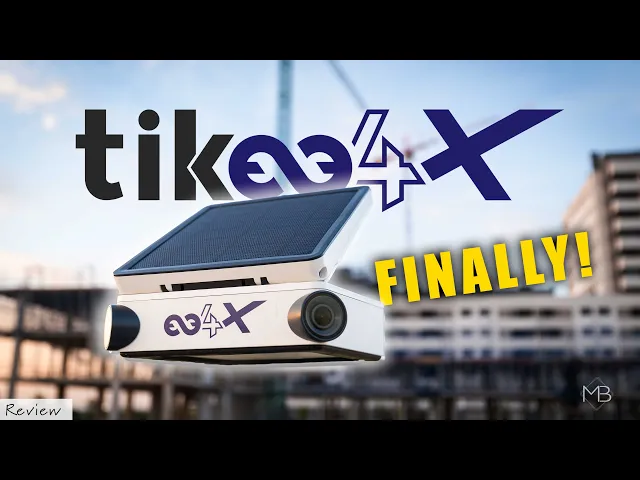
Enlaps Tikee4X: Here's What's New
In this video Mattia Bicchi takes a look at the new Enlaps Tikee4X and all its new features! Enlaps describes the upgrades through 4 pillars: X Seamless, X Clear Vision, X Real-Time and X Hassle-Free and he goes through each one to show you what they actually mean in a real world workflow.
Comparison of timelapse cameras for construction site monitoring
Brand | Camera Model | Resolution | Battery Life | Connectivity | Durability | Weight | Price |
|---|---|---|---|---|---|---|---|
Enlaps | Tikee 4X | 6K - Panoramic 220° | Solar-powered (continuous) | 4G, Wi-Fi, myTikee Cloud Platform | Weatherproof (IP66) | 1.6 kg | 1650€ excl. taxes |
Enlaps | Tikee mini S | 4K - 140° | Up to 30 days without charging / Solar compatible for infinite battery life | 4G, Wi-Fi, myTikee Cloud Platform | Weatherproof (IP66) | 1.0 kg | 859€ excl. taxes |
Brinno | BCC2000 Plus | 1080p (Full HD) | Up to 328 days (16x AA batteries) | None / Local USB-C cable (No native 4G/Cloud) | IPX5 (via external Power Housing) | ~1.4 kg (with housing) | ~665€ excl. taxes |
Afidus | ATL-800 | 4K | Up to 60–112 days (4x AA batteries, long intervals) | Local Wi-Fi app only (No 4G, manual retrieval) | IPX5 (requires silicone cover) | 0.25 kg | ~550€ excl. taxes |
CamDo | SolarX Bundle (UpBlink + GoPro HERO) | Up to 5.3K (single lens) | Solar-powered / External battery pack | 4G (external modem) & CloudX (multi-vendor setup) | IP67 (modular housing) | ~2.5 kg | ~2000€ - 2400€ excl. taxes |
Why ENLAPS Tikee cameras are the best nowadays
 | Tikee 4X: Professional ExcellenceThe Tikee 4X offers everything professionals need for demanding projects. Its dual 6K cameras capture ultra-wide panoramic views with exceptional clarity. Powered by solar energy, it operates continuously, even in remote outdoor locations. Integrated with the myTikee Cloud platform, it enables remote access, live previews, and automatic uploads, making it a top-tier choice for professionals handling long-term projects. |
 | Tikee mini S: Compact and VersatileThe Tikee mini S is perfect for shorter projects or indoor settings. Lightweight and portable, it offers high-resolution 4K video and intuitive operation. Its compatibility with the myTikee Cloud platform simplifies storage and sharing, making it an ideal choice for beginners and casual users who need reliable, quality equipment for smaller-scale projects. |
ENLAPS SHOP
Choose the right camera for your project


Made in France · Express Shipping · Trade-In Offer
Timelapse Drone for Aerial View
Drone cameras are the best choice to use for aerial photography. These cameras can fly to capture a wide range of landscapes. Are you wondering which drone to use for timelapse? There are a lot of promising drone cameras out there, but one thing you have to check is which provides the best ND filter. The ND filter of a camera makes timelapse shots stunning because it automatically enhances the landscape. Also, it would be great if the drone has a 3-axis sensor driven image stabilization and can capture a view of 360 degrees. Longer battery life would be highly recommended as well because this will provide you with a prolonged flying time.
Using a timelapse drone is best for shooting a movement of scenery up in an aerial view. These scenes may be a sunset, moving clouds, or even the movement of people and cars in a large area. The timelapse mode will speed up the original footage resulting in the movement being much quicker, but still allowing viewers to see the whole transition of change just in a shorter period of time.

Onboard Camera when Driving
If you want to capture timelapse shots while you are driving, you must use an onboard camera. You can term this type of camera as a “camera on the move”. It is usually placed in a vehicle to shoot while in motion. It must have an exposure smoothing function to stabilize filming against changes in sun exposure or sudden car lights towards the lens. Likewise, it should also come with an interval timer function, this helps with the control of the timer shutter release.
GoPro Fusion is one of the recommended buys for an onboard camera. It allows shooting at a full 360° angle and high quality of up to 5.2K resolution, perfect when shooting in motion. This has two ways to shoot a timelapse. First, as a photo, and second, as a video. Time-lapse photo mode will shoot according to the interval of seconds you chose and once done, it will save the images captured at that period of time. On the other hand, a time lapse video requires less control because you just have to film in timelapse mode and once you stop shooting, it automatically creates the timelapse video. Your video will be quicker than the original duration.

Shooting Timelapse with Your Camera
Time Lapse photography technique is best used when shooting the events of nature such as the moving of clouds, rising and setting of the sun, and movement of stars in the sky. Creating timelapses from photos and videos will show you the beauty of scenes in a sped-up manner. You must learn what camera settings to apply because great time lapse shots happen with the right aperture, shutter speed, ISO, focus, and frames per second. Once time lapse mode is applied in the camera settings, the shutter speed control of the camera is set at a slower rate, and it allows prolonged exposure. This will give you the illustration of a motion in a still image, or manipulate the timing of the video to make it move rapidly.
Choosing the Right Camera for You
Investing in cameras with a great time-lapse mode gives you stunning and creative timelapse photos and videos. At the same time, know your passion for photography and consider what you want to capture, will it be the scenery, moving objects, or a project. Then choose the type of camera that will best capture it: a stand-alone, a drone, or an onboard camera. Once you know what camera to use, looking at the specific features of the cameras out in the market will then be easier. Choosing the right camera for your timelapse photography will surely give you satisfying shots.
Choose a time-lapse camera rather than a webcam
To follow a live event, to monitor a site or to follow the weather evolution of a place, webcams are the most used photographic objects. Their limits are however real, while a time-lapse camera is able to exceed them and bring interactivity. Discover 5 reasons to choose a timelapse camera rather than a webcam.
IP Cameras to create Time-lapse
Another type of camera that you might want to consider is an IP Camera. It is a type of digital camera that receives control and sends images via an internet network. They are commonly used for surveillance. Most IP cameras are webcams, but the term IP (Internet Protocol) applies only to those that can be accessed over a network connection.
Enlaps has integrated its time-lapse content creation software with a wide range of IP Cameras, allowing you to enjoy the myTikee experience with various camera types.
DEMONSTRATION
Discover the Tikee solution
A 30-minute video call with an Enlaps expert: camera placement, platform setup, and budgeting based on the duration of your project.
No obligation · Time slots available quickly
FAQ about timelapse cameras
Why should I choose a dedicated time-lapse camera over a standard IP camera or webcam?
Standard IP and security cameras are designed for continuous low-resolution video streaming, which consumes significant bandwidth and lacks exposure precision. Dedicated time-lapse cameras capture ultra-high-resolution still frames (4K to 6K) at set intervals, offer built-in solar autonomy, and automatically compile sequences into high-quality marketing and project-management videos via platforms like myTikee.
Is investing in an Enlaps Tikee camera worth the premium over budget alternatives?
Yes. While entry-level cameras or DIY setups look cheaper upfront, they incur hidden operational costs: frequent site visits to swap batteries, manual SD card retrieval, and hours spent editing footage. An Enlaps camera pays for itself rapidly through full automation. With built-in 4G, continuous solar autonomy, and automated cloud processing, you eliminate travel expenses, prevent costly site visits, and instantly deliver broadcast-ready 4K or 6K visual reports to your clients. Discover our bundles
How does the myTikee Cloud platform give Enlaps users a competitive edge regarding timelapse cameras?
Unlike traditional cameras that require manual video editing software, myTikee automates your entire post-production workflow. The cloud platform auto-generates professional time-lapse videos, stabilizes footage, applies smart pan-and-zoom effects, and offers secure client-sharing links. It transforms raw photos into polished marketing assets and project-management milestones in just a few clicks, saving your team dozens of hours per project. Discover our plans